Price and tax
The bundle total is the sum of the included items’ current prices, times their fixed quantities. Each item keeps its own tax class.
Build ready-made kits from your existing products. Give shoppers one clear Add to cart action.
Choose products, variations, and quantities to create the right preset for your store.
Free v0.1.0 · No account needed.
Opens the GitHub release page.
Read the source on GitHub (opens in new tab)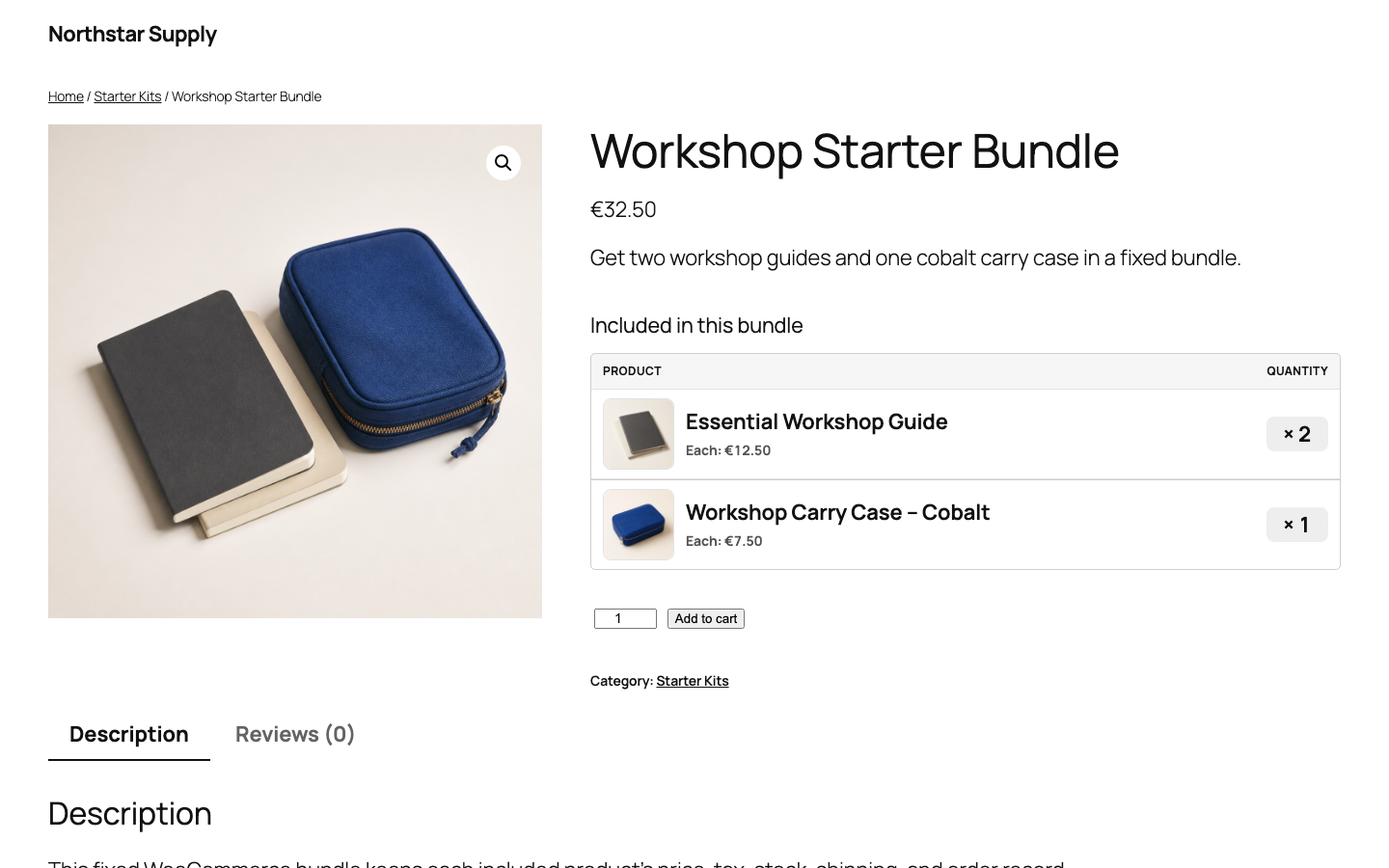
v0.1.0 · 54 KB · WordPress 6.8+ · WooCommerce 9.9+ · PHP 8.2+ · GPL-2.0-or-later
Requires an active WooCommerce 9.9 or newer installation.
The Source code archives on GitHub are not plugin installers.
Next: create your first bundleThe bundle groups the purchase. Each item keeps its own price, tax, stock, shipping, and order line.
The bundle total is the sum of the included items’ current prices, times their fixed quantities. Each item keeps its own tax class.
WooCommerce holds the stock on each product or variation. The plugin adds up total demand across the whole cart and checks it again at checkout. There is no second inventory to reconcile.
Each physical item keeps its own weight, dimensions, and shipping class.
The order stores each item’s name, SKU, variation, quantity, and totals as a native line. Refund one item or the whole order; stock is restored once.
Switch between four WooCommerce screens. All products and customer details are test data.
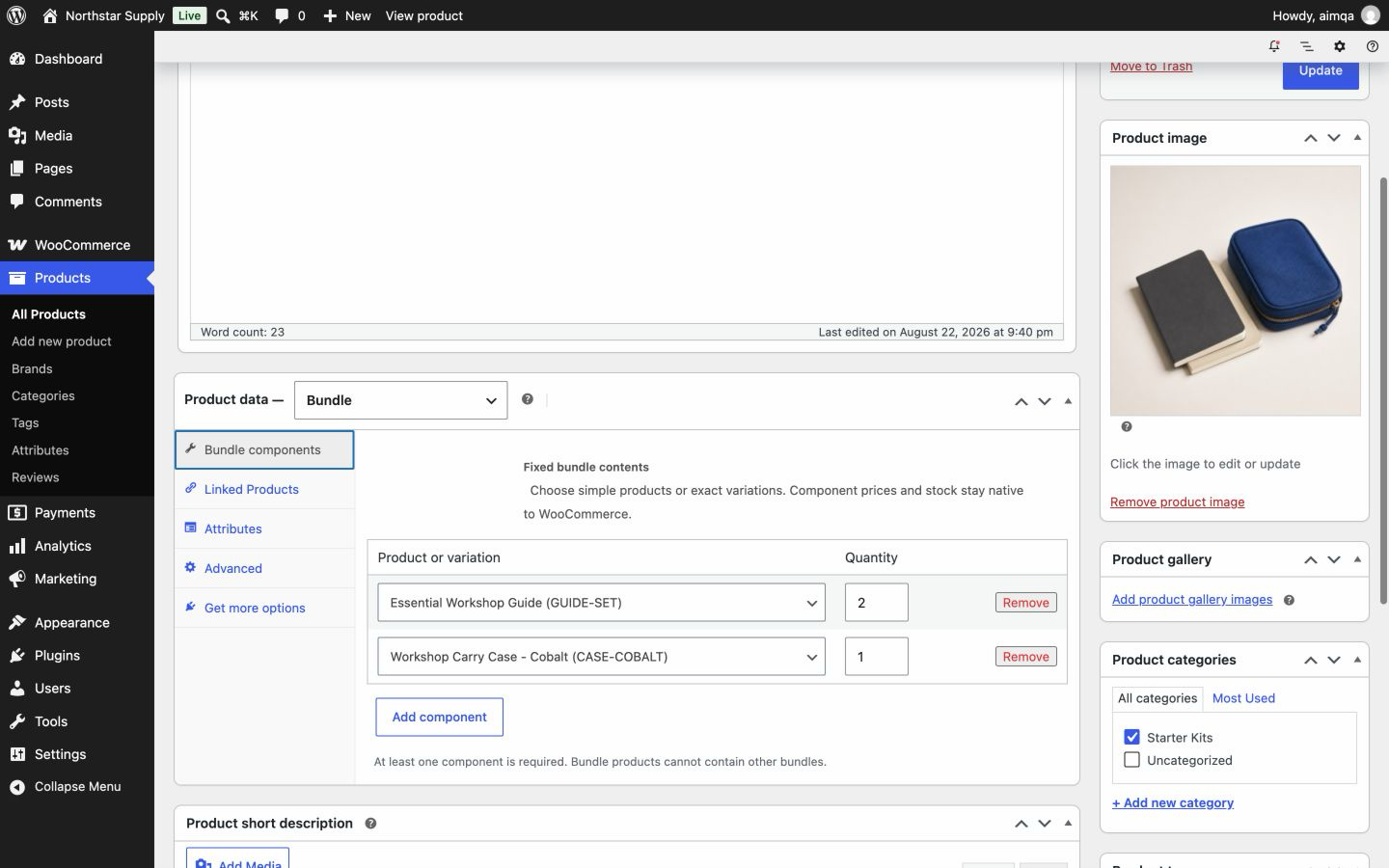
Choose simple products or exact variations in the WooCommerce product editor.

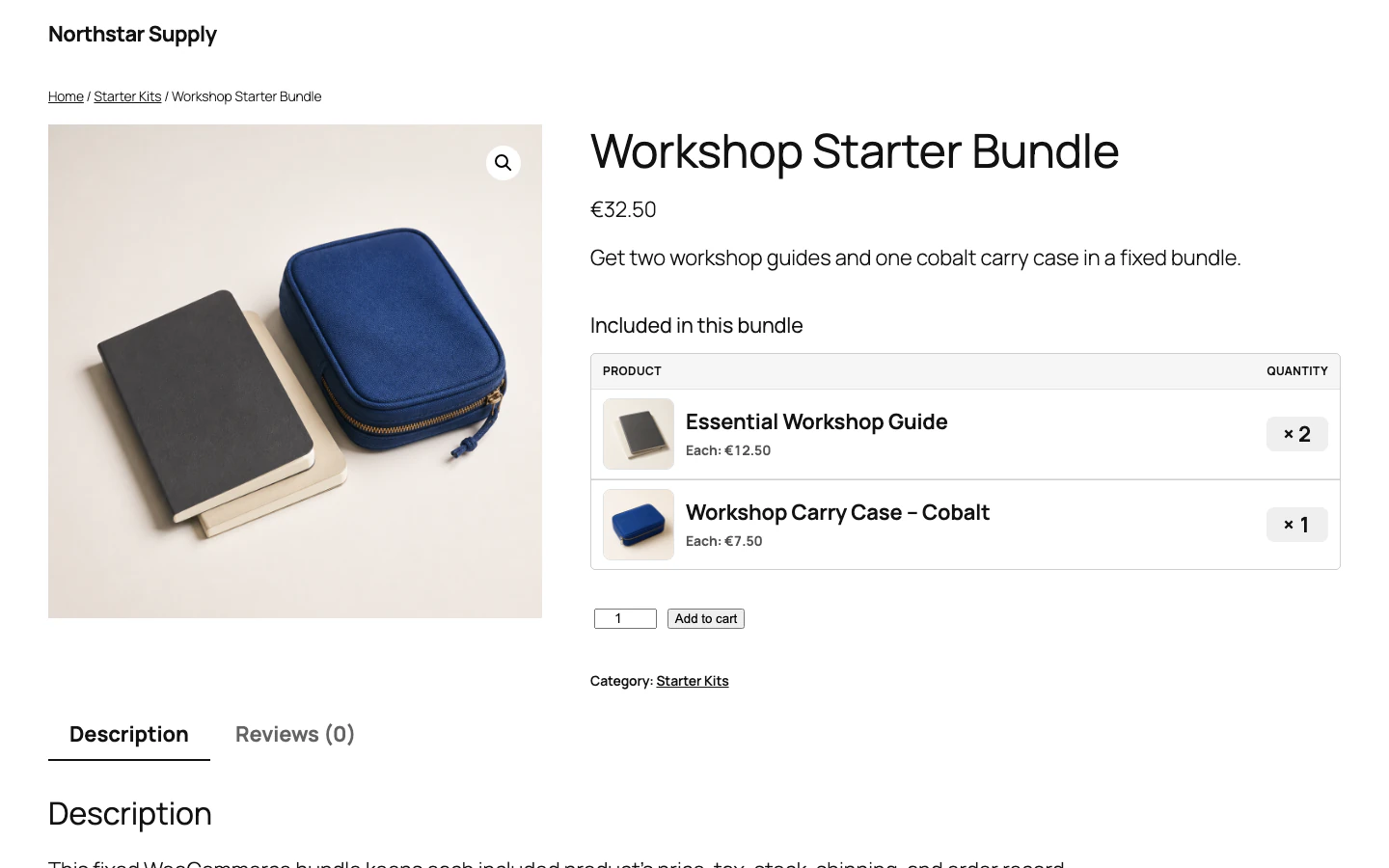
Customers see the bundle name, total price, and every included item before adding it to the cart.
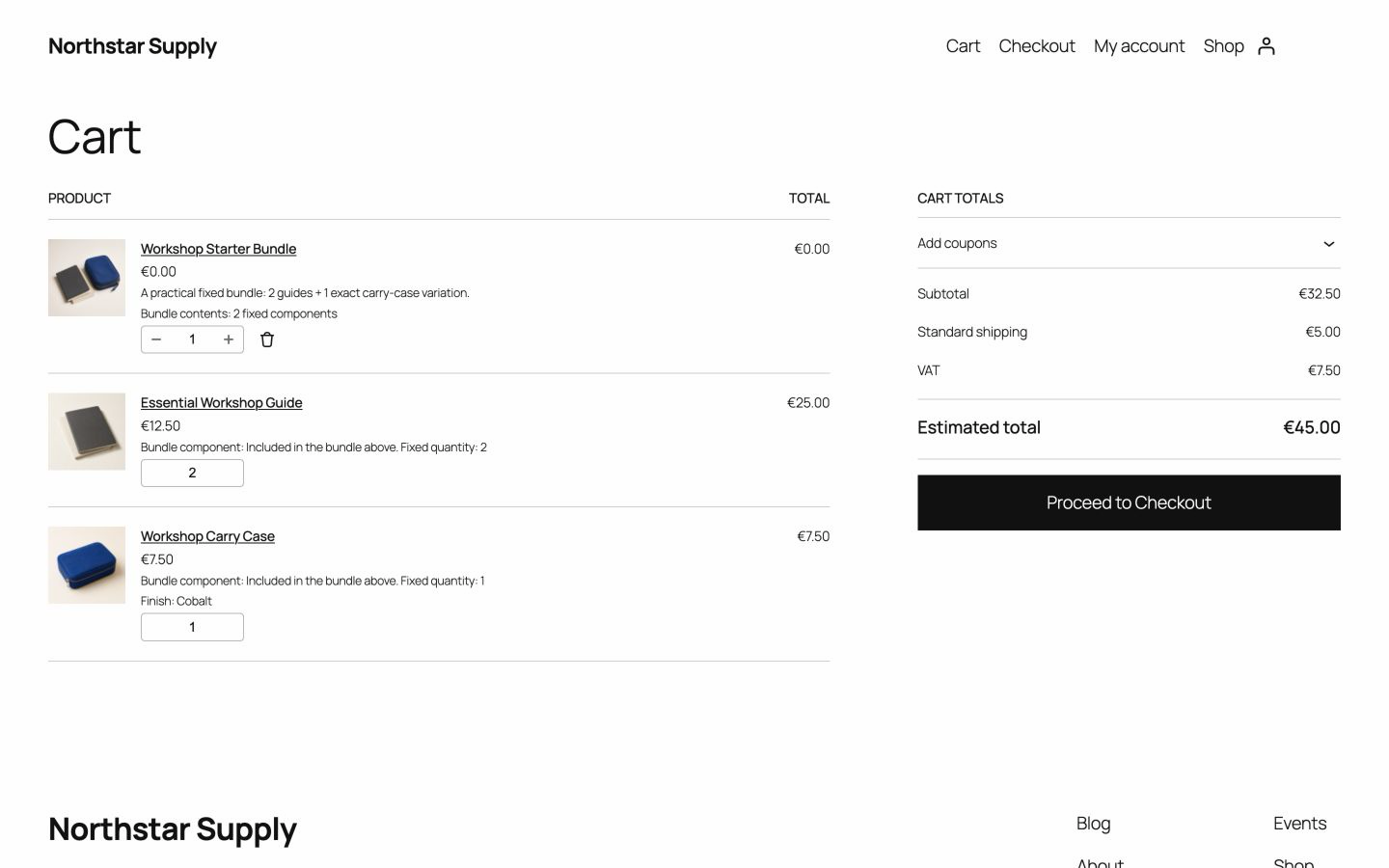
The cart groups the bundle while each included item keeps its price, quantity, and stock data.
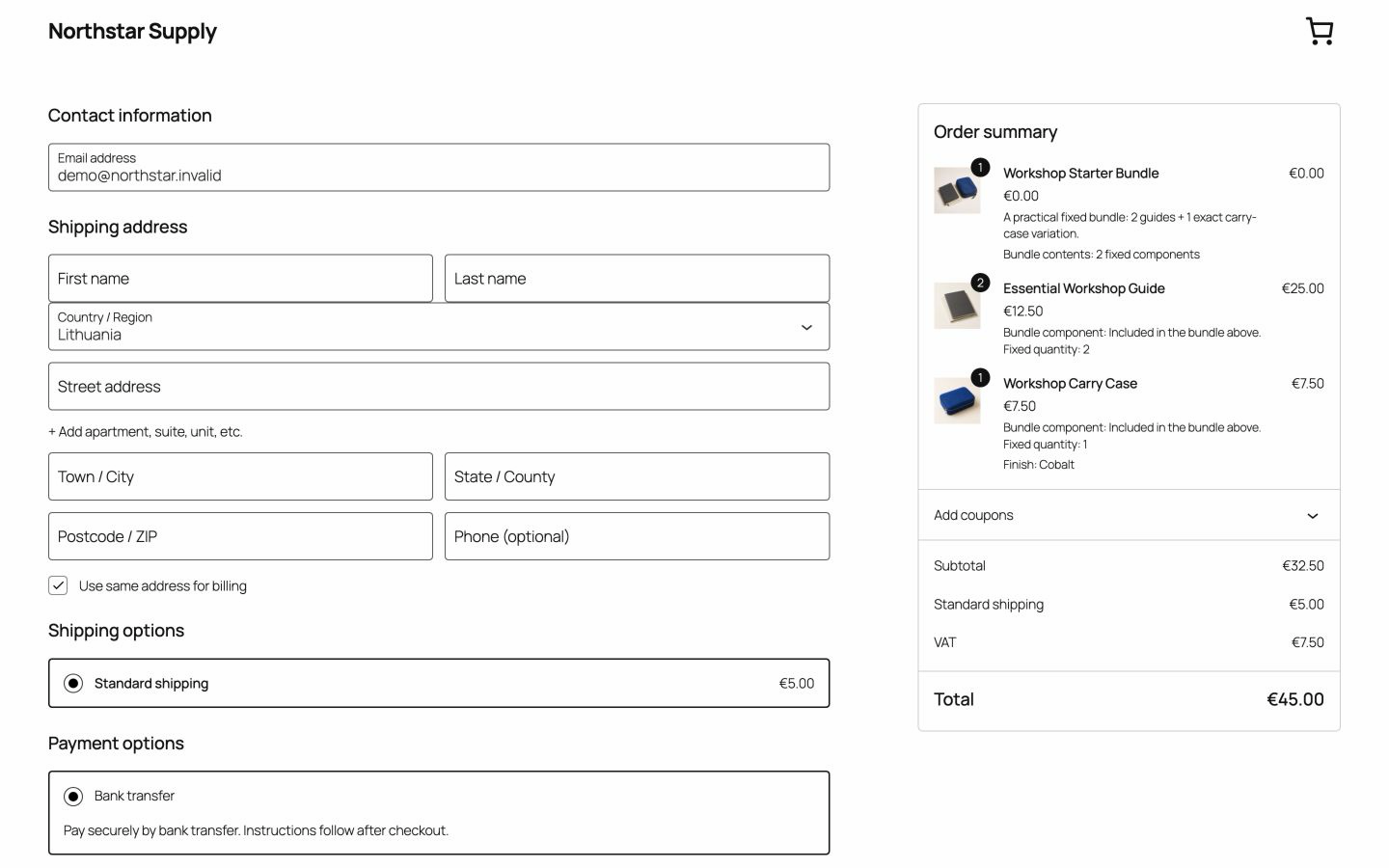
Checkout checks product quantities again and shows shipping, tax, and the final total.
Prefer to try before downloading? Open the live demo (opens in new tab) , or read the walkthrough.
Useful for your store? Star Advanced Bundles on GitHub. (opens in new tab)
Everything you need to sell fixed kits, packs, and presets from your existing products.
Need shopper choices, optional items, or bundle discounts? See what Free includes in detail.
These checks passed for the current Free release. Stores differ, so test the plugin on a copy of your store first.
Orders use WooCommerce APIs in both tested storage modes.
Bundle carts and orders are tested in both checkout types.
If the same product appears in more than one bundle, all required quantities are counted before checkout.
Full and partial item refunds restore stock once.
Multisite first boot passed on both supported test stacks. Check the current compatibility range.
Free adds each included product’s current price multiplied by its fixed quantity. Each product keeps its own WooCommerce tax class.
WooCommerce uses each product’s stock and backorder settings. If an item is out of stock and backorders are off, shoppers can order the bundle again when stock returns.
Yes. Choose one exact variation, such as a size or colour. Create a separate bundle for each preset.
The published tests cover classic checkout and Cart and Checkout Blocks. The bundle uses native WooCommerce cart and order lines. Themes vary, so test on a copy of your store.
No. Download Free from GitHub without a key, an account, or an email address.
No. Free makes no external requests and collects no usage data. You can read the source on GitHub.
Free focuses on fixed kits and does not import bundles from other plugins. See the scope comparison.
Pro is planned as a separate add-on that works with a compatible Free version. Free keeps working as it does today.
Pro is planned as a separate add-on and will require a compatible Free version. It is not for sale. No order, email address, or payment is accepted anywhere on this site.
See planned Pro termsCreate and sell fixed bundles.
Planned features include customer-selectable products and variations, reusable bundle recipes, conditional rules, quantity ranges, discount and fixed-price options, capacity reporting, bulk and CSV tools, extra layouts, APIs, integrations, and priority support.
See planned Pro featuresThe verified release, with no account, email gate, or plugin telemetry.
cfd0f4cba21842d7216f1565bfe4ae874de29abf9a081d1620229e37b38ee2d4v0.1.0 · 54 KB · WordPress 6.8+ · WooCommerce 9.9+ · PHP 8.2+ · GPL-2.0-or-later
Opens the GitHub release page.
Need help installing? Follow the installation steps.
Advanced Bundles for WooCommerce is made by UAB BusinessPress. WooCommerce® and Woo® are trademarks of Automattic Inc.; this plugin is independent and is not sponsored or endorsed by Automattic.