Updated
How to add exact product variations to a WooCommerce bundle
Build a kit around a specific size or colour. Choose the exact variation in the bundle editor, and shoppers add the complete kit with one click.
v0.1.0 · 54 KB · WordPress 6.8+ · WooCommerce 9.9+ · PHP 8.2+ · GPL-2.0-or-later
Opens the GitHub release page.
Need help installing? Follow the installation steps.

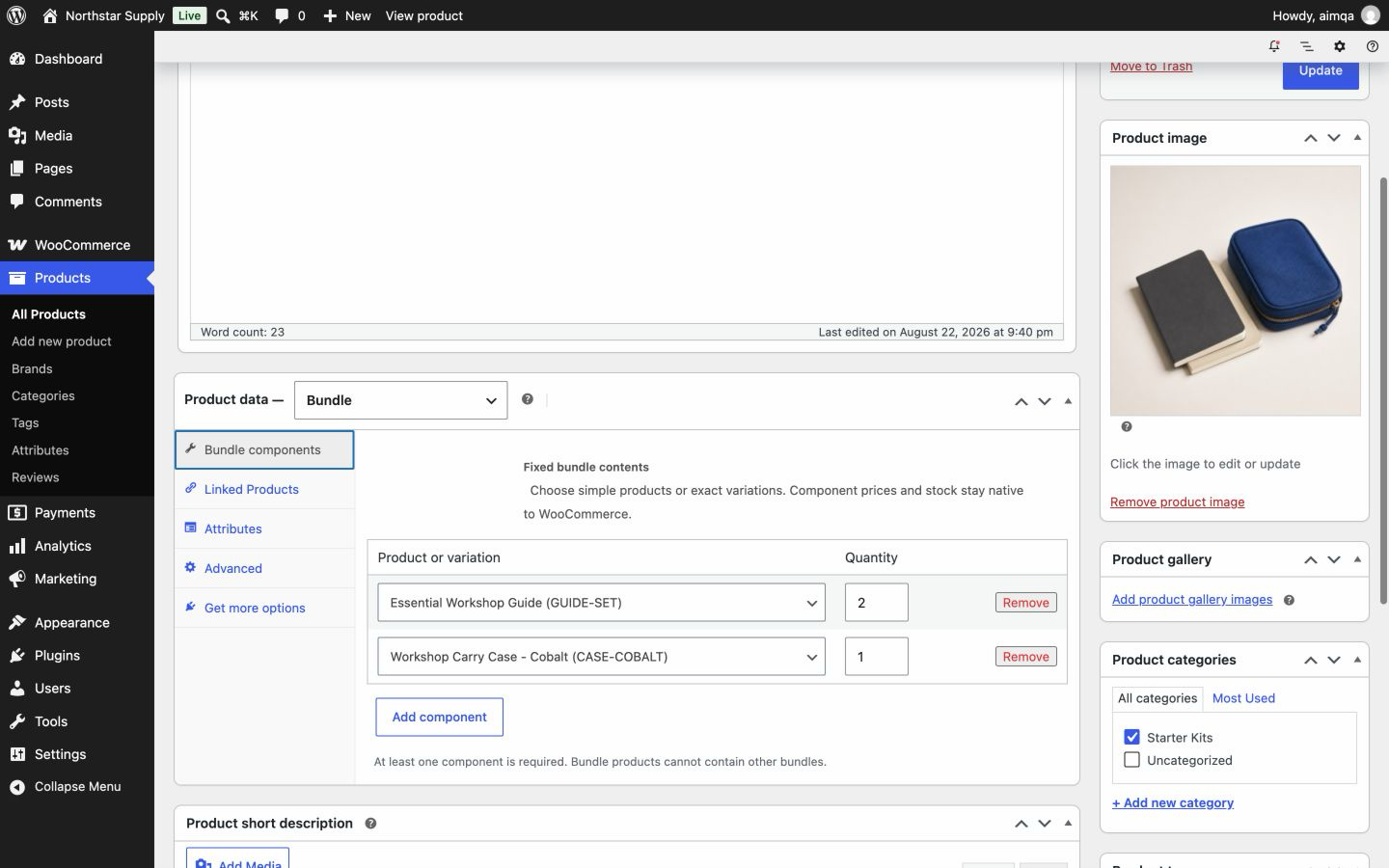
Example
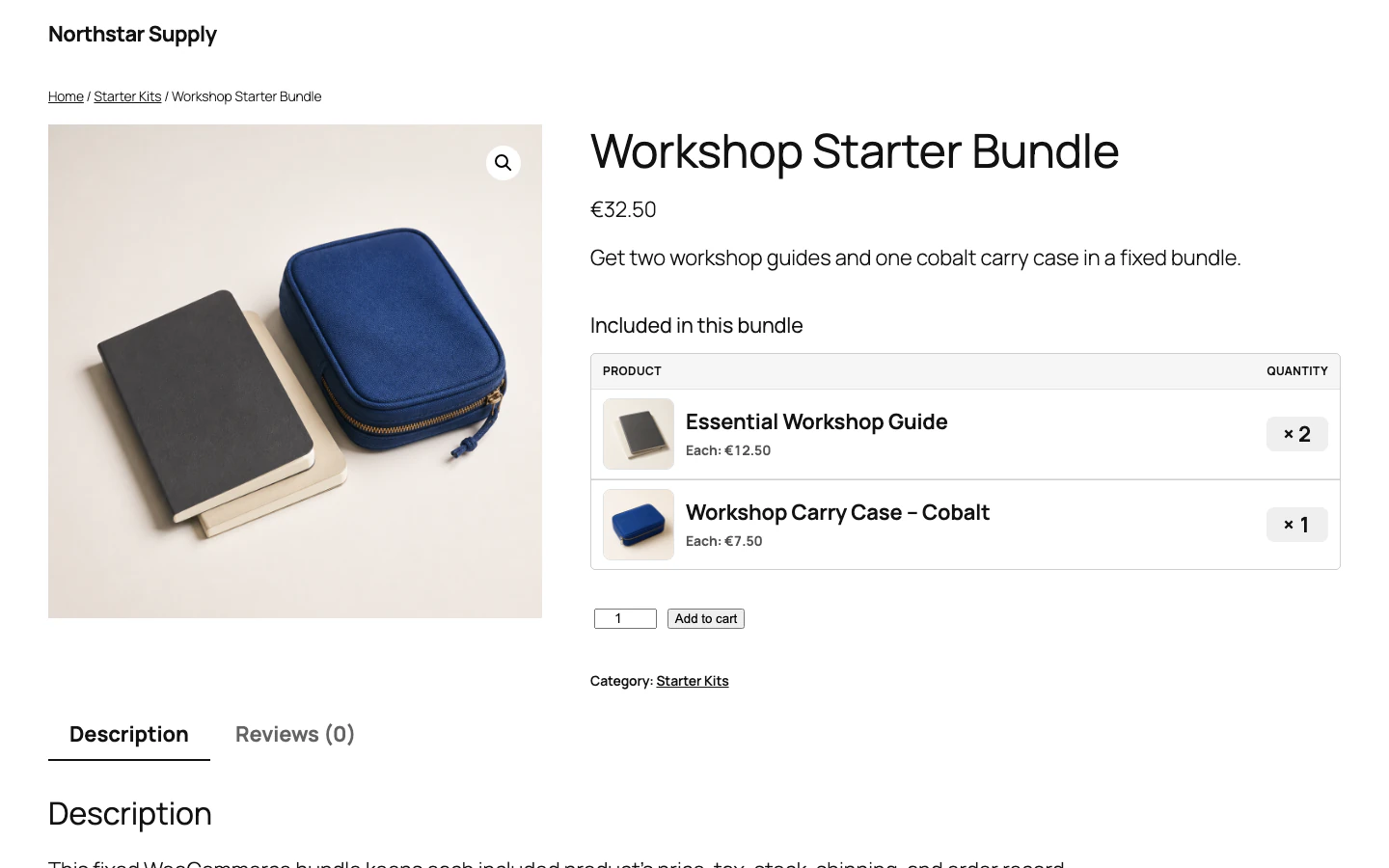
A workshop kit with the cobalt carry case
You sell the Workshop Carry Case in several colours. Your kit pairs the cobalt case with a notebook. In the bundle editor, you select the Cobalt variation with quantity 1 and add the notebook.
Shoppers see the exact case in the kit and add everything with one click.
- Price
- The kit total uses the current price of the cobalt case, multiplied by its quantity, plus the notebook.
- Stock
- WooCommerce checks and reduces stock on the cobalt variation. If the variation shares stock with its parent product, the parent stock is used.
- More colours
- To sell a black kit as well, create a second bundle product with the Black variation. Each preset is a separate bundle product.
Know the difference
Exact variation or customer choice?
Advanced Bundles uses the variation that you choose. This gives every shopper the same ready-made kit.
| Question | Exact variation | Customer-selectable variation |
|---|---|---|
| Who chooses the variation? | You, while you edit the bundle. | The shopper, on the storefront. |
| Which stock is checked? | The selected variation when it manages stock, or its parent product when stock is shared. | Depends on the plugin that provides the choice. |
| Best fit | A ready-made kit with a set colour, size, or style. | A configurable bundle where shoppers build their own selection. |
Four steps
Add a product variation to a bundle
-
Prepare the variable product
In WooCommerce, create the attributes, variations, prices, and stock.
-
Create a Bundle product
Add or edit a product. Choose Bundle from the Product data list.
-
Select the exact variation
Choose the variation for the kit and set its quantity.
-
Test cart and checkout
On a staging site, check the variation name, price, stock, tax, shipping, and order line.
Bundle variation questions
Can customers choose a different colour or size?
No. Every shopper receives the variation that you choose for the kit. To offer another colour or size, create a separate bundle product for it. See what Advanced Bundles Free includes.
Can one bundle mix variations and simple products?
Yes. A bundle can include simple products and exact variations, each with its own fixed quantity.
Does the order show which variation the shopper bought?
Yes. The variation has its own order line with its price, tax, and SKU. The order keeps the purchased name, SKU, and quantity after later product edits.
What happens if the variation is deleted or disabled?
New purchases of the bundle are blocked while a required item is missing or invalid. Existing orders keep the purchased variation details.
Related guides
Also from we-wp: Advanced Invoices creates numbered PDF invoices from your WooCommerce orders. Advanced Quotes turns price requests into paid orders.
Want the full picture? See what Advanced Bundles Free includes.
Create a kit with an exact variation.
Download Advanced Bundles Free and build your first variation kit on a staging site.
v0.1.0 · 54 KB · WordPress 6.8+ · WooCommerce 9.9+ · PHP 8.2+ · GPL-2.0-or-later
Opens the GitHub release page.
Need help installing? Follow the installation steps.