Manage stock enabled
WooCommerce uses the stock quantity and the backorder setting of the product or variation.
Updated
Sell a product on its own and inside kits from one stock count. Advanced Bundles Free checks the total quantity that the cart needs for each product.
v0.1.0 · 54 KB · WordPress 6.8+ · WooCommerce 9.9+ · PHP 8.2+ · GPL-2.0-or-later
Opens the GitHub release page.
Need help installing? Follow the installation steps.

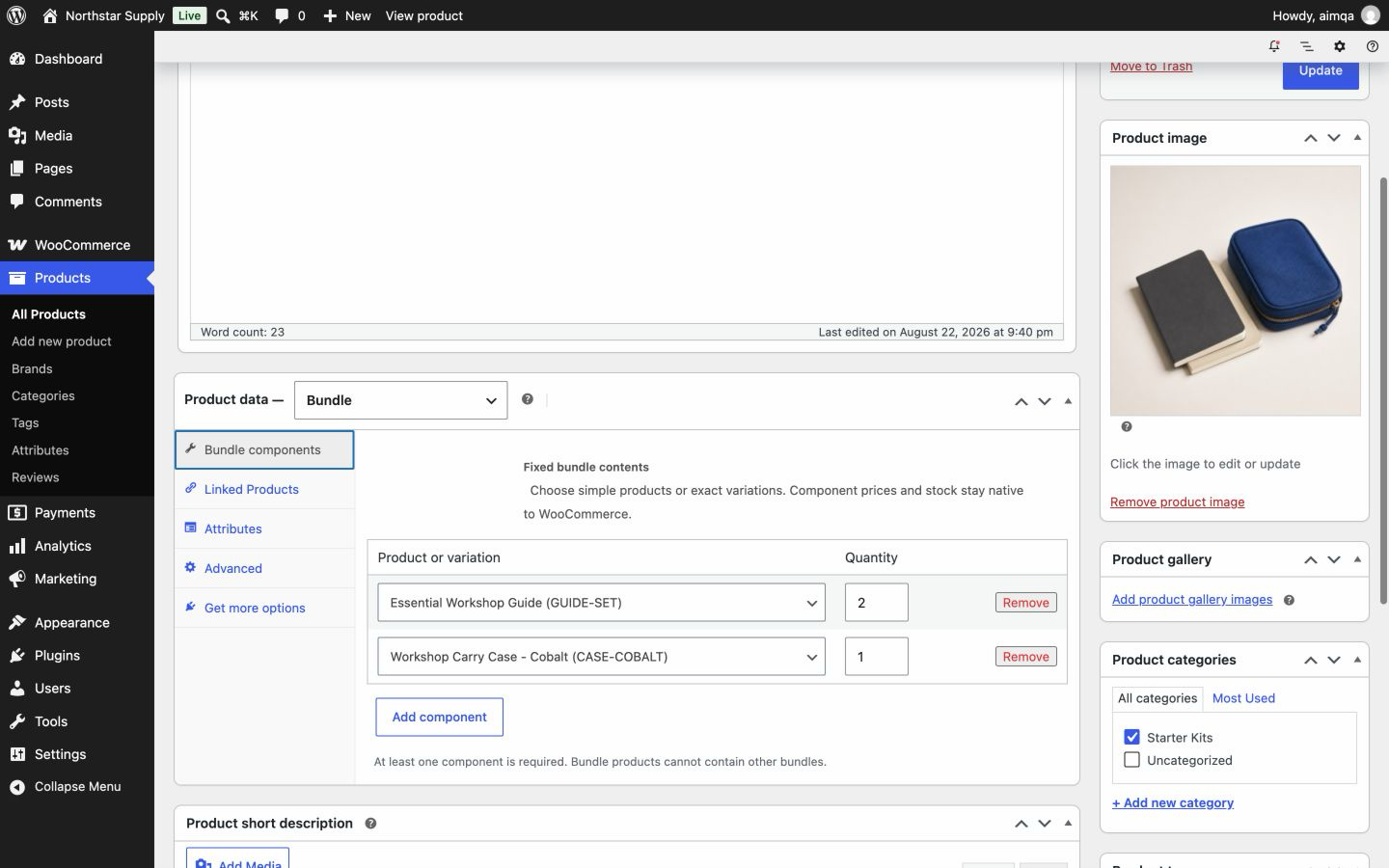
Set inventory on the products and variations inside the bundle. The bundle container has no separate stock quantity. This avoids a second stock count that can drift from your product inventory.

Example
Your Workshop Kit contains 1 notebook and 2 marker sets. You also sell marker sets on their own. A shopper adds 3 kits and 1 extra marker set, so the cart needs 3 notebooks and 7 marker sets.
| Product | In 3 kits | Added separately | Total stock needed |
|---|---|---|---|
| Notebook | 1 × 3 = 3 | 0 | 3 |
| Marker set | 2 × 3 = 6 | 1 | 7 |
The plugin checks this total when the shopper adds a kit to the cart. Checkout checks it again before the order is created.
Your WooCommerce inventory rules stay in control. Set up each product before you add it to a bundle.
WooCommerce uses the stock quantity and the backorder setting of the product or variation.
WooCommerce uses the stock status, such as in stock, out of stock, or on backorder.
A shopper can buy the kit only when each product in it meets its WooCommerce stock rules. In the example, if only 6 marker sets are available and backorders are not allowed, the cart cannot proceed with that quantity.
WooCommerce documents product stock, backorders, low-stock alerts, and holds for unpaid orders.
Open WooCommerce inventory settings (opens in new tab)Each product in the kit has its own order line. The standard WooCommerce stock tools work on these lines.
| Action | What happens to stock |
|---|---|
| Order placed | WooCommerce reduces stock on each product line, according to your order status flow. |
| Order cancelled | Confirm that WooCommerce restores the stock of each product once for the status change that your store uses. |
| Item refunded | Select Restock refunded items when those units should return to inventory, then verify each product quantity. |
Payment gateways, order-status automation, and other extensions can change when stock is reduced or restored. Before you go live, place, cancel, and refund a test order on a staging site.
The plugin adds the quantity from both bundles to any separate cart line for that product. The cart and checkout check the combined total.
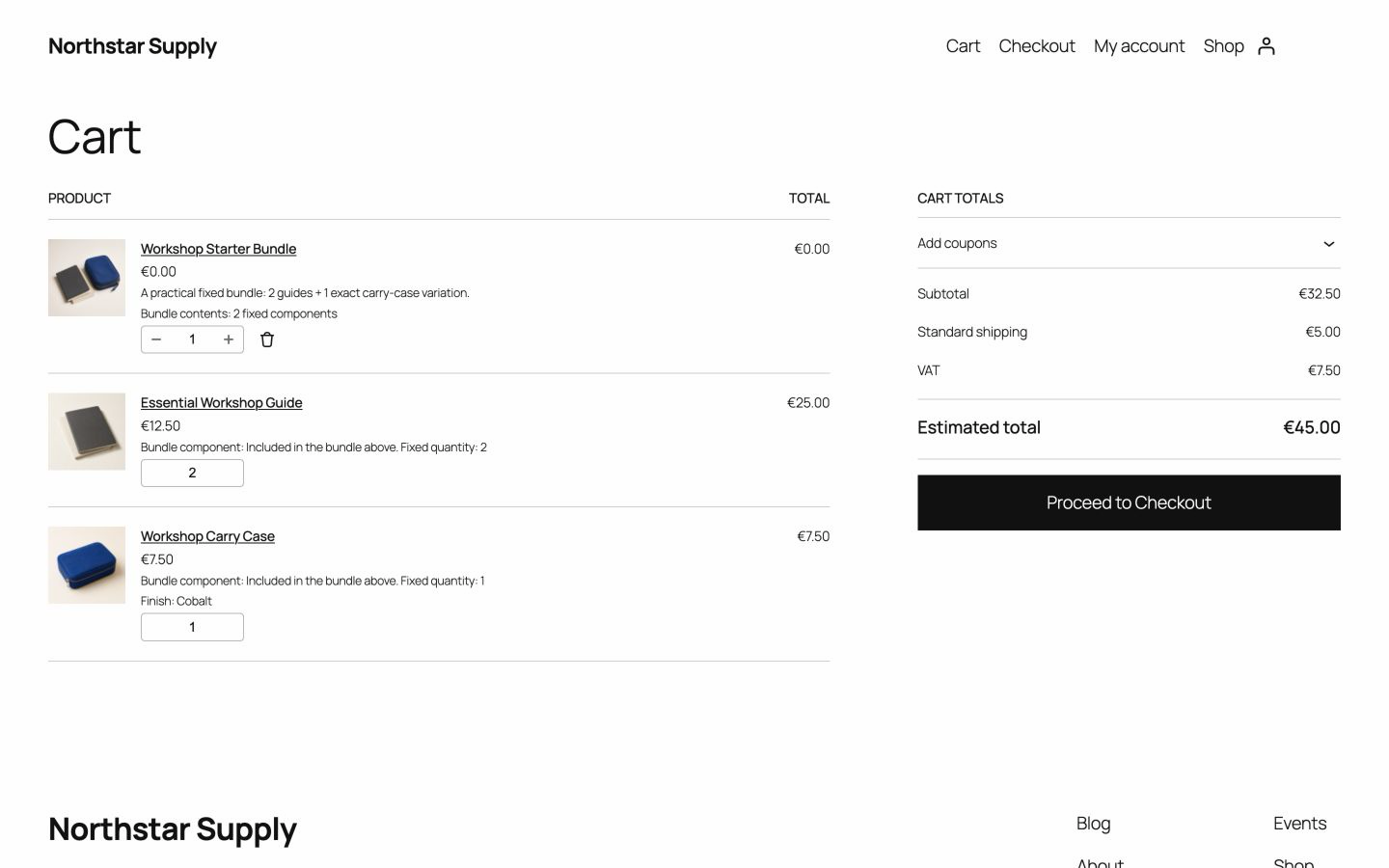
No. The bundle has a separate order line that shows the bundle name at a zero price. WooCommerce reduces stock on the product lines.
Check the stock of each product in the kit. Free does not add a separate report of kit capacity. See what Advanced Bundles Free includes.
Also from we-wp: Advanced Invoices creates numbered PDF invoices from your WooCommerce orders. Advanced Quotes turns price requests into paid orders.
Want the full picture? See what Advanced Bundles Free includes.
Download Advanced Bundles Free, try the demo, then test stock, checkout, cancellation, and refunds on a staging site.
v0.1.0 · 54 KB · WordPress 6.8+ · WooCommerce 9.9+ · PHP 8.2+ · GPL-2.0-or-later
Opens the GitHub release page.
Need help installing? Follow the installation steps.