Pricing
The pack price is the sum of each current product price multiplied by its quantity.
Updated
WooCommerce product pack guide
Turn individual products into a ready-made pack, such as a six-pack or a refill set. Shoppers add the complete pack to the cart with one button.
v0.1.0 · 54 KB · WordPress 6.8+ · WooCommerce 9.9+ · PHP 8.2+ · GPL-2.0-or-later
Opens the GitHub release page.
Need help installing? Follow the installation steps.
Useful for your store? Star Advanced Bundles on GitHub. (opens in new tab)
You sell a cleanser, refills, and a bag separately. You want a care set that new customers can buy in one step.
Create one Bundle product with one cleanser, two refills, and the bag in one exact colour. Shoppers add the complete set with one button.
For a six-pack, the setup is shorter. Add one simple product as a component and set its quantity to six.
Test the pack on a staging site before you publish it. A staging site is a test copy of your store.
Follow the step-by-step setup guide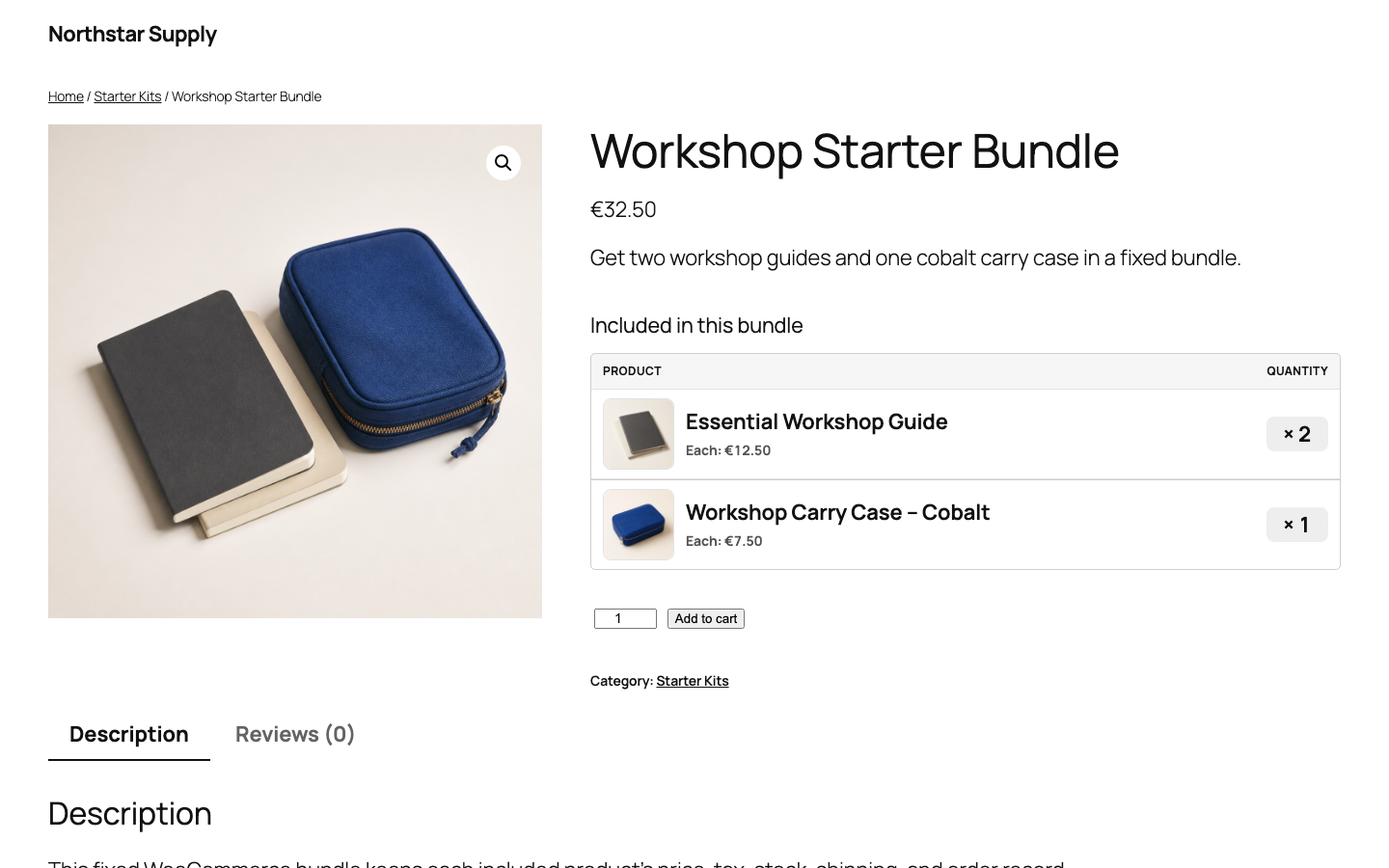
The right WooCommerce product structure depends on what the shopper chooses.
| Structure | Customer choice | Best fit |
|---|---|---|
| Normal product quantity | Customer chooses how many units of one product to buy. | Loose units without a separate pack product page. |
| Variable product | Customer chooses one variation such as size, colour, or pack size. | One product with selectable attributes. |
| Fixed product pack | Customer buys the merchant-defined products and quantities together. | Multipacks, care sets, starter packs, and fixed kits. |
Woo documentation lists multiple instances of the same product and simple product kits as bundle use cases. Read the official Product Bundles documentation (opens in new tab) .
The pack groups the purchase. Price, stock, tax, and shipping still come from each product.
The pack price is the sum of each current product price multiplied by its quantity.
The cart checks the total quantity needed for each product. Checkout checks it again.
Each physical product keeps its own tax and shipping data.
Each product keeps its own order line. A separate parent order line shows the pack name at a zero price. WooCommerce restores refunded stock when the refund action requests restocking.
Create two bundle products, one for each pack size. Each pack is a separate product page with its own fixed quantity.
A pack uses the stock of each included product. A six-pack needs six units of that product, unless the product allows backorders.
Free prices a pack as the sum of the current product prices. A separate pack price or pack discount is not included. See what Free includes.
Also from we-wp: Advanced Invoices creates numbered PDF invoices from your WooCommerce orders. Advanced Quotes turns price requests into paid orders.
Want the full picture? See what Advanced Bundles Free includes.
Get Advanced Bundles Free, create one pack, and test the complete order on a staging site.
v0.1.0 · 54 KB · WordPress 6.8+ · WooCommerce 9.9+ · PHP 8.2+ · GPL-2.0-or-later
Opens the GitHub release page.
Need help installing? Follow the installation steps.