Turn price requests into paid WooCommerce orders.
Customers request a quote from a product or the cart. You set the prices and send a numbered PDF quote. The customer accepts online and pays on your checkout.
Advanced Quotes for WooCommerce
A free request a quote plugin. Free has no quote limit.
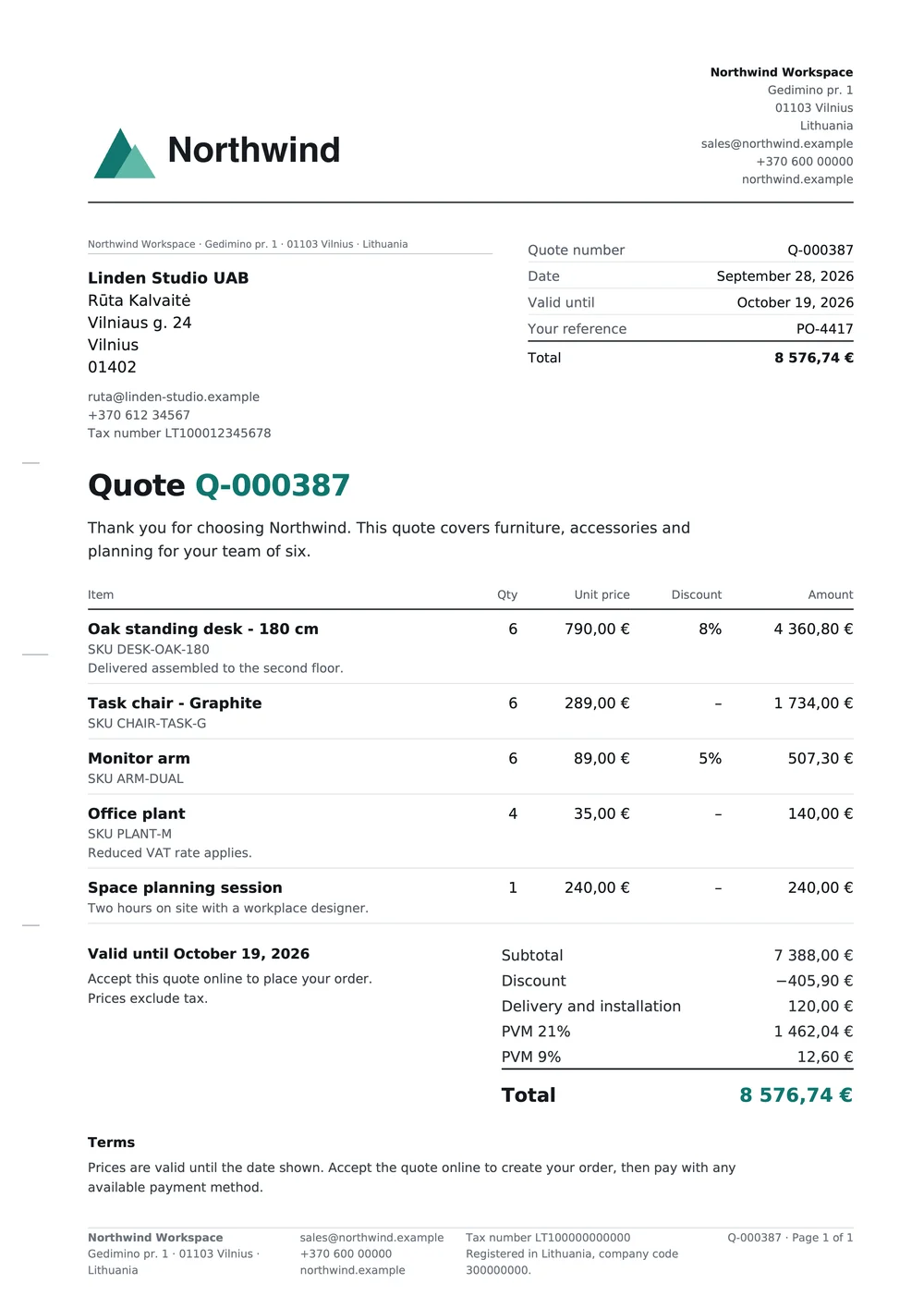
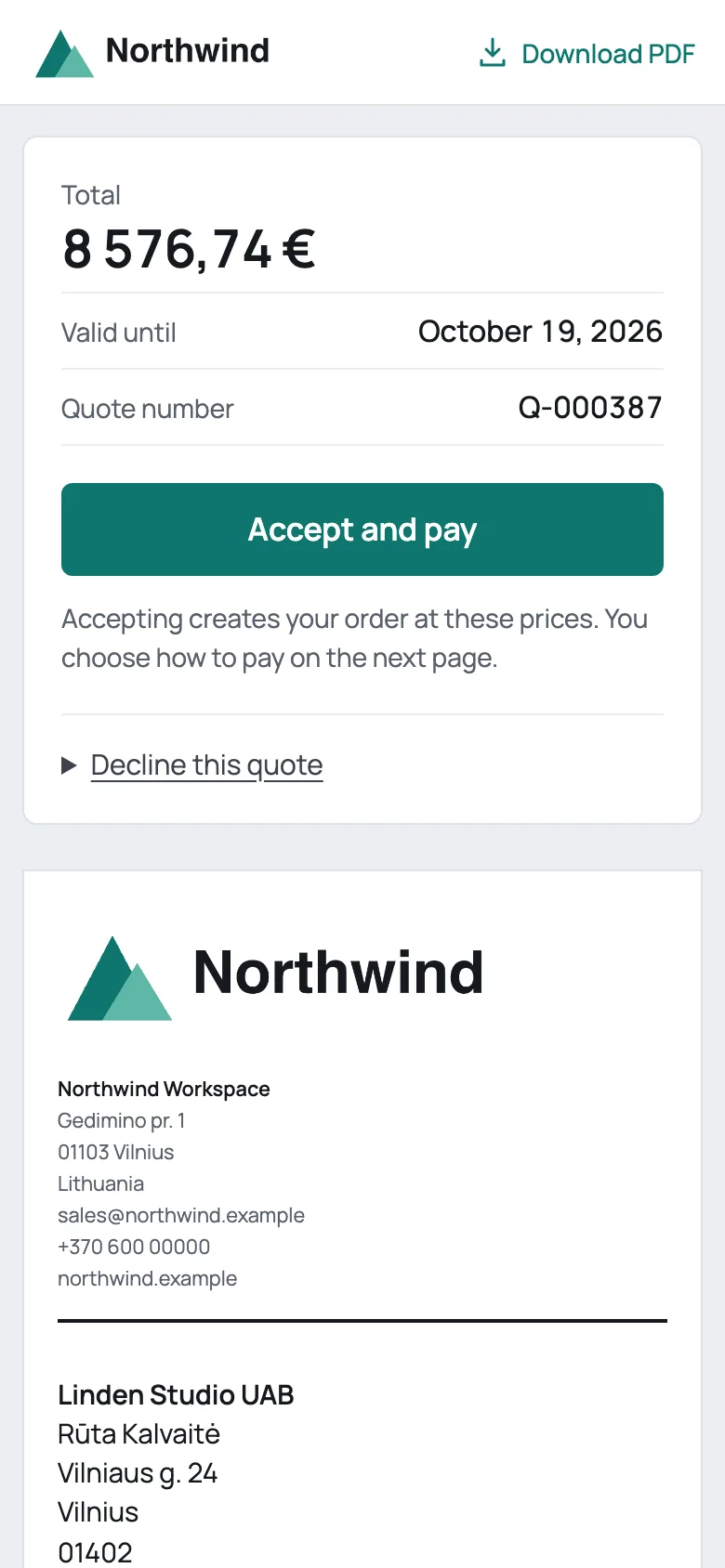
Inspect the full-size example quote (opens in a new tab)
From a price request to a paid order.
-
A customer asks for a price.
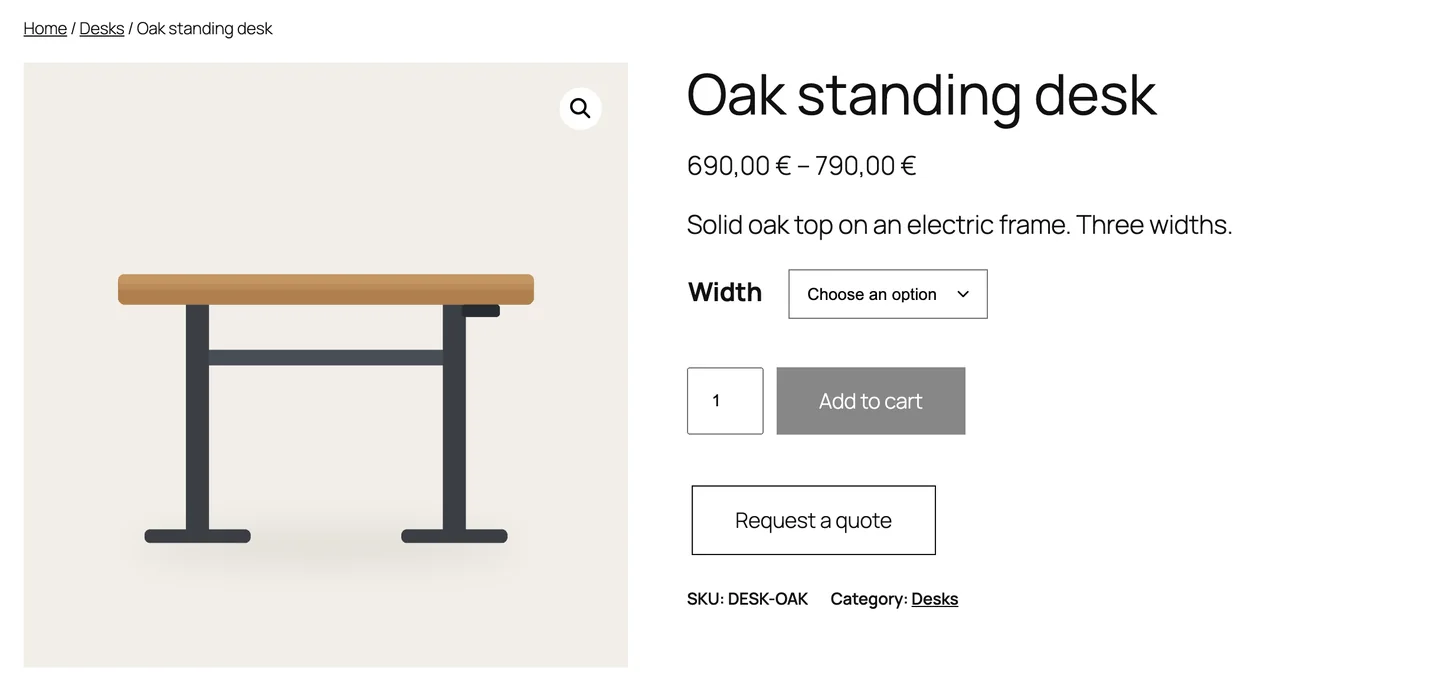
A Request a quote button appears on product pages and in the cart. The customer adds items, writes a message and sends the request.
You get an email and a new request in WooCommerce → Quotes.
-
You set the prices.
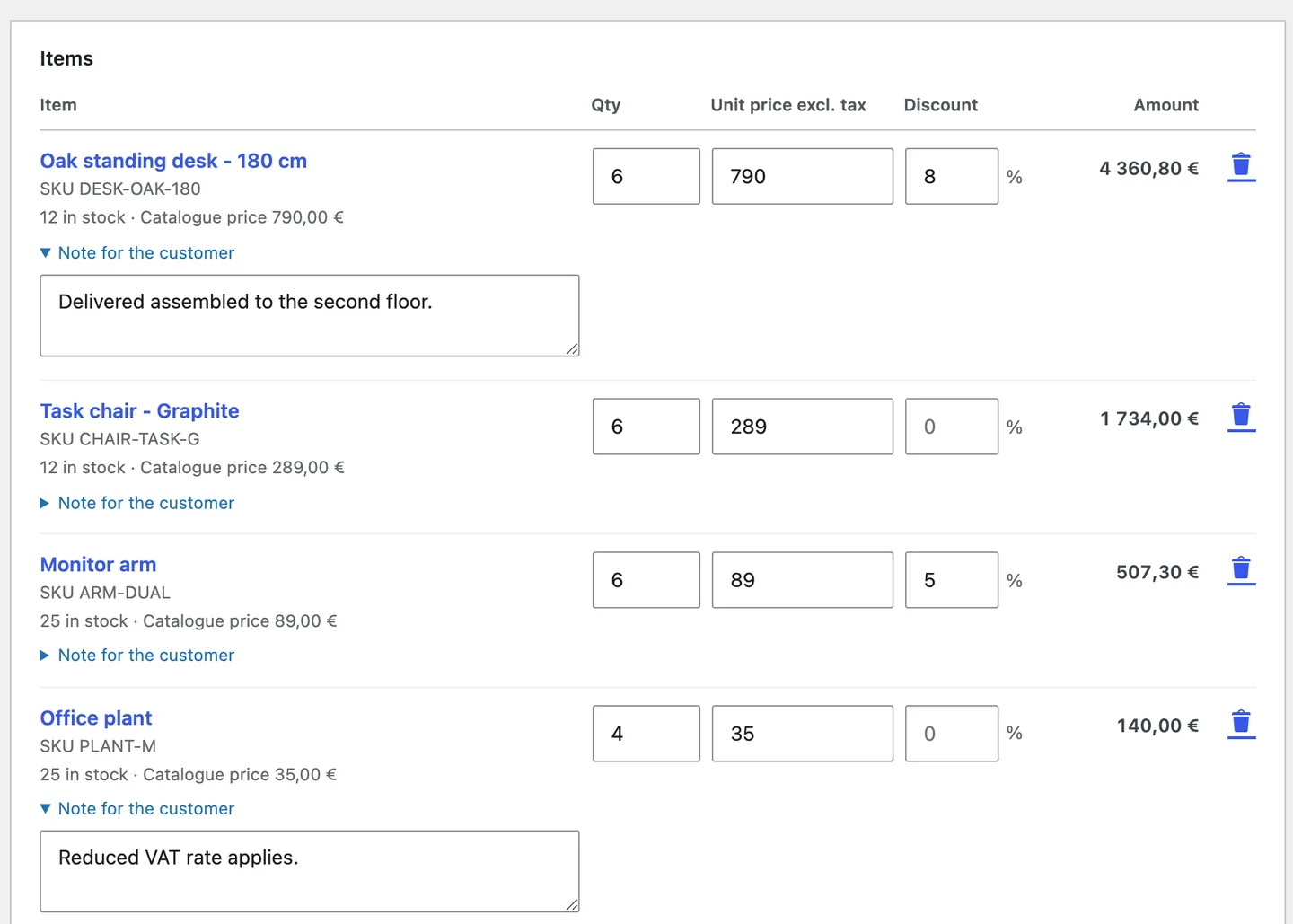
Open the request in the quote generator. Change quantities and unit prices, or add a discount to a line.
Add custom items and shipping. The totals use your WooCommerce tax rates while you type.
-
The customer accepts and pays.
Send the quote. The customer gets a private link and the PDF, and can read the quote on any phone.
Accept and pay creates the order at the quoted prices and opens your normal payment page.
The price you send is the price they pay.
Totals follow WooCommerce. Tax, discounts and shipping use your WooCommerce settings. If WooCommerce calculates a different total at acceptance, no order is created.
A sent quote does not change. Each sent revision keeps its prices and its PDF. To change a price, send a new revision. The customer link opens the latest one.
One quote, one order. Repeated or simultaneous clicks on Accept and pay open the same order. WooCommerce holds the stock for it, as it does at checkout.
Send your first quote.
- Open the GitHub release. Download advanced-quotes-for-woocommerce-0.1.0.zip. The source archives are not the installer.
- In WordPress, open Plugins → Add New Plugin → Upload Plugin. Upload the ZIP, install it, then activate it.
- Open WooCommerce → Settings → Quotes. Add your business details, logo and accent colour.
- Open WooCommerce → Quotes and select Add quote. Add a customer and the products.
- Set the prices, then select Send quote. Open the customer link to see what your customer sees.
What Free includes
- A Request a quote button on product pages and in the cart, and a request page for the full list.
- A quote generator for registered or guest customers, with products, variations, custom items, line discounts, shipping and live totals.
- Numbered quotes with fixed revisions. Each revision keeps its PDF.
- A customer page with Accept and pay, Decline and PDF download, plus a Quotes list in My Account.
- The Essential template: a business letter in A4 or Letter with your logo and accent colour.
- Five WooCommerce emails and privacy export and erasure. No plugin telemetry.
Know the boundaries
You write and approve the quote text and terms. WooCommerce calculates tax. The plugin gives no tax or legal advice.
Payment uses your WooCommerce payment page and your enabled payment methods. The plugin sends no automatic reminders.
Deactivation keeps your quotes. Back up the database before you move or restore a store. Activate separately on each Multisite site. A quote can have up to 200 lines.
Required: WordPress 7.0+, WooCommerce 11.1+, PHP 8.3+ with DOM, GD and mbstring, and InnoDB tables. Check the release notes for tested versions.
Questions about Advanced Quotes
Does Free limit the number of quotes?
No. Free has no quote limit. It includes customer requests, the quote generator, online acceptance and the Essential template.
What happens when the customer accepts?
The plugin creates a pending WooCommerce order at the quoted prices and opens your payment page. WooCommerce holds the stock. If an item is out of stock, no order is created and the customer sees a message.
Can I change a quote after I send it?
Yes. Edit the quote and send a new revision. The customer link opens the latest revision. Earlier revisions keep their PDFs in the quote history.
Who can open a quote?
The customer opens it with the private link or from their account. Store staff see a staff view without Accept and Decline. To stop an old link from working, create a new customer link.
Can customers request a variable product?
Yes. The customer selects the variation first, for example a size. The request, the quote and the order keep that selection.
Are more templates available?
Free includes the Essential template. More templates are planned for Pro, which is not available for purchase.
What does my store need?
WordPress 7.0 or newer, WooCommerce 11.1 or newer, and PHP 8.3 or newer with the DOM, GD and mbstring extensions. Check the release notes for tested versions.
Source, releases and help.
Use invented data in issue reports. Never attach customer quotes, database exports or credentials. Support has no guaranteed response time.