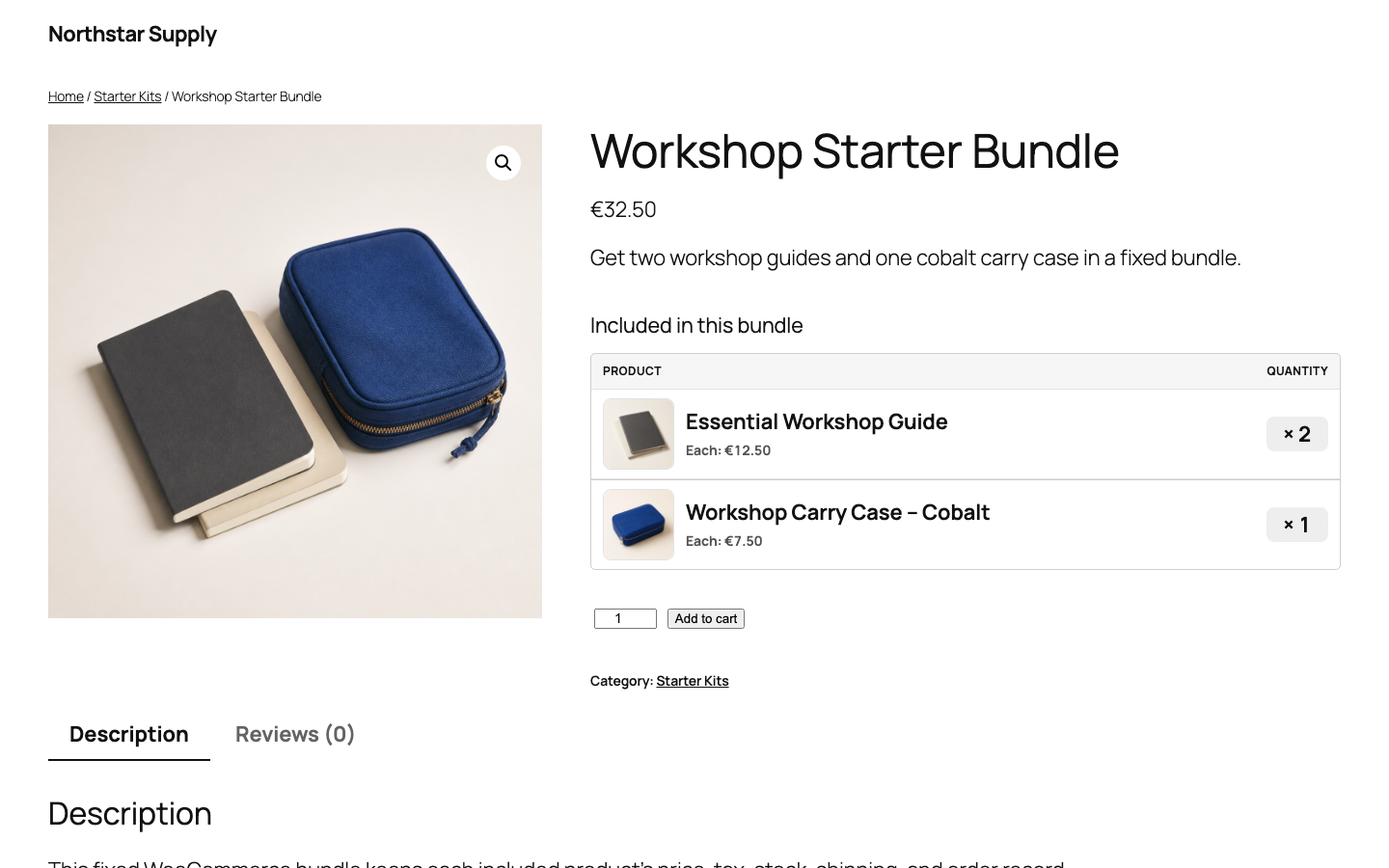
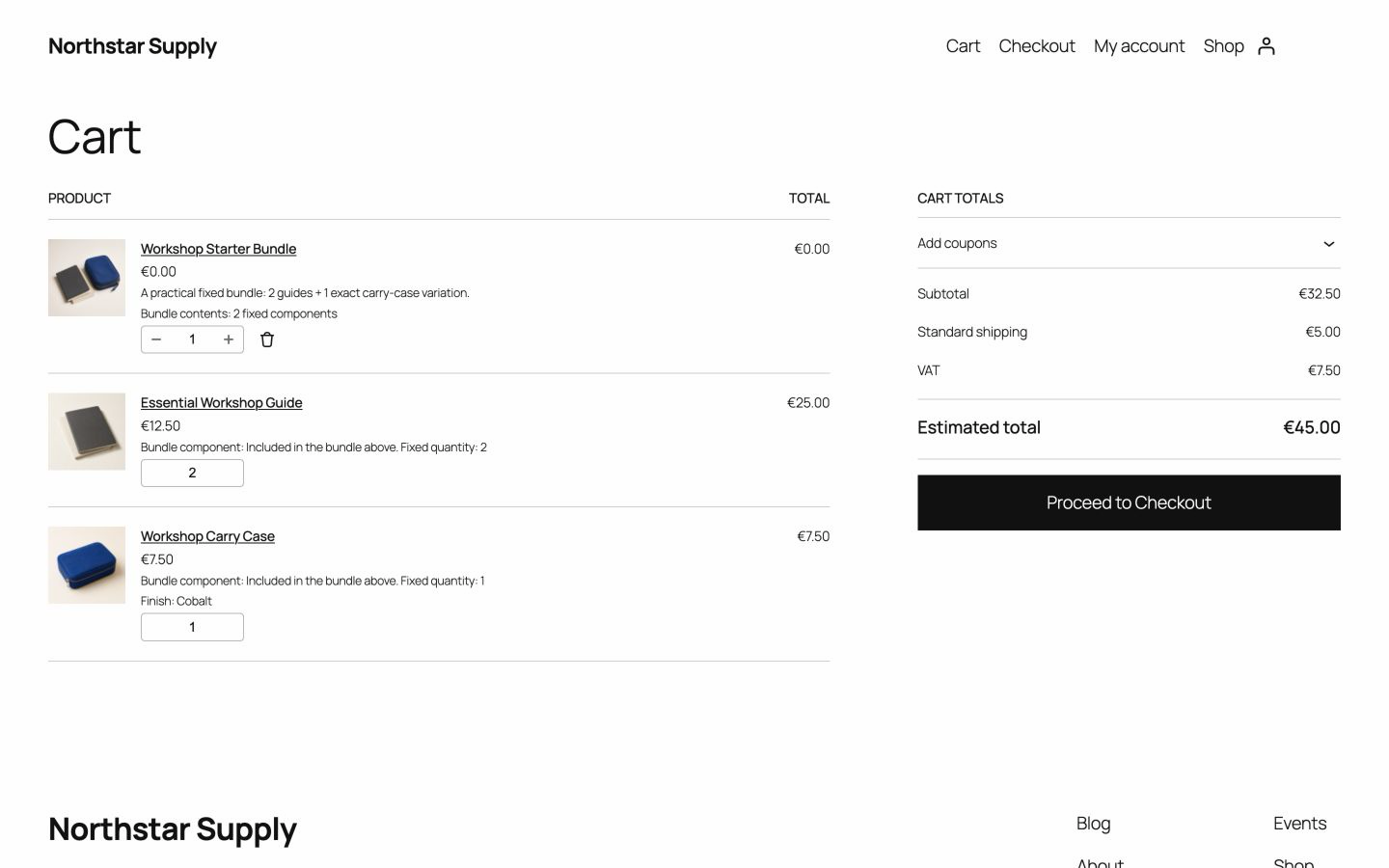
One bundle line
The parent line groups the purchase without adding a second price or tax charge.
Updated
Create one fixed bundle with the products, exact variations, and quantities every customer must receive. One Add to cart action adds your complete preset, with its products and quantities already chosen.
v0.1.0 · 54 KB · WordPress 6.8+ · WooCommerce 9.9+ · PHP 8.2+ · GPL-2.0-or-later
Opens the GitHub release page.
Need help installing? Follow the installation steps.
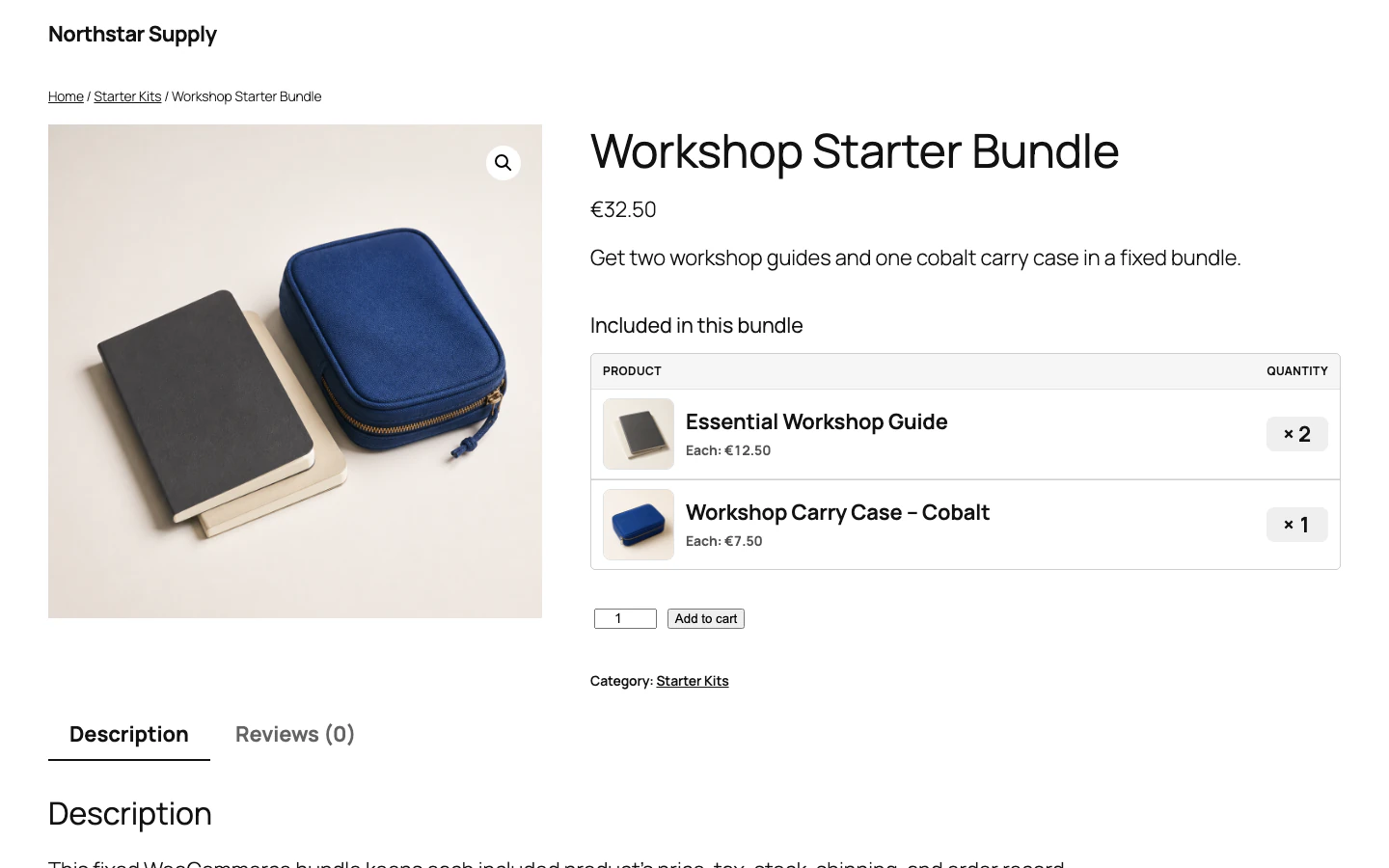
You sell a notebook and two blue marker sets to workshop attendees. Instead of finding three items, shoppers open the starter kit and select Add to cart once.
The cart shows the kit as one clear group. Each item keeps its own line, so prices, stock, tax, and shipping stay correct.

The parent line groups the purchase without adding a second price or tax charge.
The total is the current price of each component multiplied by its fixed quantity.
WooCommerce checks the total quantity of each item in the cart, and checks it again before checkout.
The key question is who chooses the contents. A fixed bundle fits when you define the complete set before the shopper arrives.
| Question | Fixed bundle | Customer-selected products |
|---|---|---|
| Who chooses the products and quantities? | The store owner chooses every required simple product or exact variation, and its fixed quantity. | The shopper chooses from a grouped product, order form, or configurable product. |
| What does the cart action add? | It adds the bundle line and all required component lines together. | It adds only the products and quantities that the shopper selects. |
| Best fit | Starter kits, repair kits, gift sets, and product packs with fixed contents. | Product lists, build-your-own kits, mix-and-match boxes, and optional add-ons. |
Start with real WooCommerce products. Their price, stock, tax, and shipping settings stay the source of truth.
Check the price, stock, tax, and shipping data of each simple product or exact variation.
Add a new product, enter its customer-facing content, and choose Bundle in Product data.
Select each required product or exact variation. Set its fixed quantity, then save the bundle.
Open the product page and select Add to cart. Check each item, quantity, total, and stock result.
The cart shows a zero-value line with the bundle name and one line for each required item. The item lines keep the detail WooCommerce needs for orders and refunds.
Yes. You choose one exact existing variation, such as a size or colour, and its fixed quantity.
The price is the sum of the current item prices multiplied by their quantities. See how bundle pricing works.
Shoppers cannot buy the bundle when a required quantity is unavailable and WooCommerce backorders are not allowed. Stock is checked again before checkout.
Also from we-wp: Advanced Invoices creates numbered PDF invoices from your WooCommerce orders. Advanced Quotes turns price requests into paid orders.
Want the full picture? See what Advanced Bundles Free includes.
Download Advanced Bundles Free and install it on a staging site. Then test one Add to cart action with your real products.
v0.1.0 · 54 KB · WordPress 6.8+ · WooCommerce 9.9+ · PHP 8.2+ · GPL-2.0-or-later
Opens the GitHub release page.
Need help installing? Follow the installation steps.