Skip to content
we-wp plugins
Menu

Create fixed WooCommerce product bundles.

Sell a kit, pack, or starter set as one product. Advanced Bundles Free groups required items into a single Add to cart, and WooCommerce keeps every item’s own price, stock, tax, shipping, and refund data.

Advanced Bundles workflow screenshots

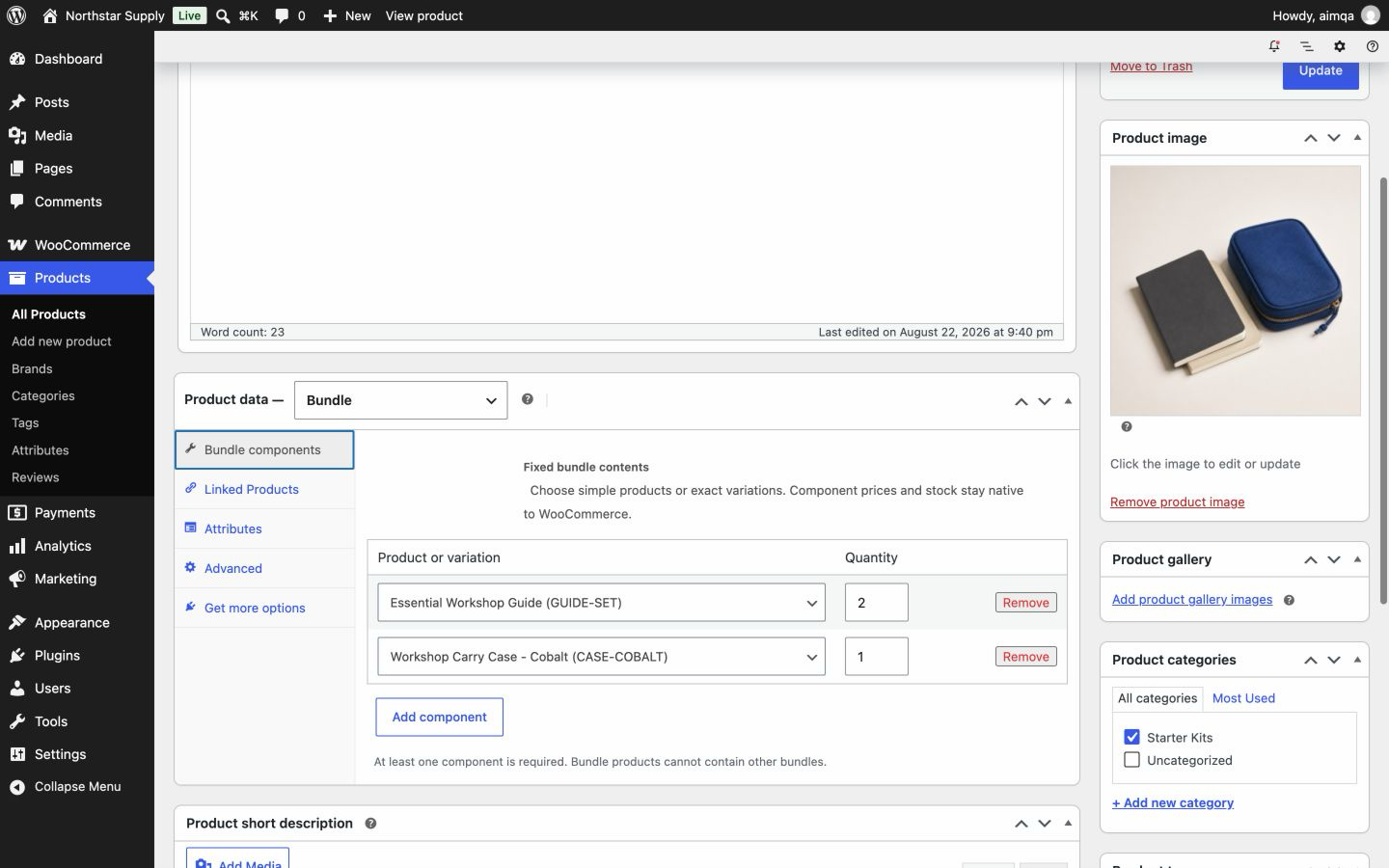
Add products and quantities.

Choose simple products or exact variations in the WooCommerce product editor.

Setup Synthetic WooCommerce test store. No customer data. Two included products with fixed quantities. Open full-size Setup image

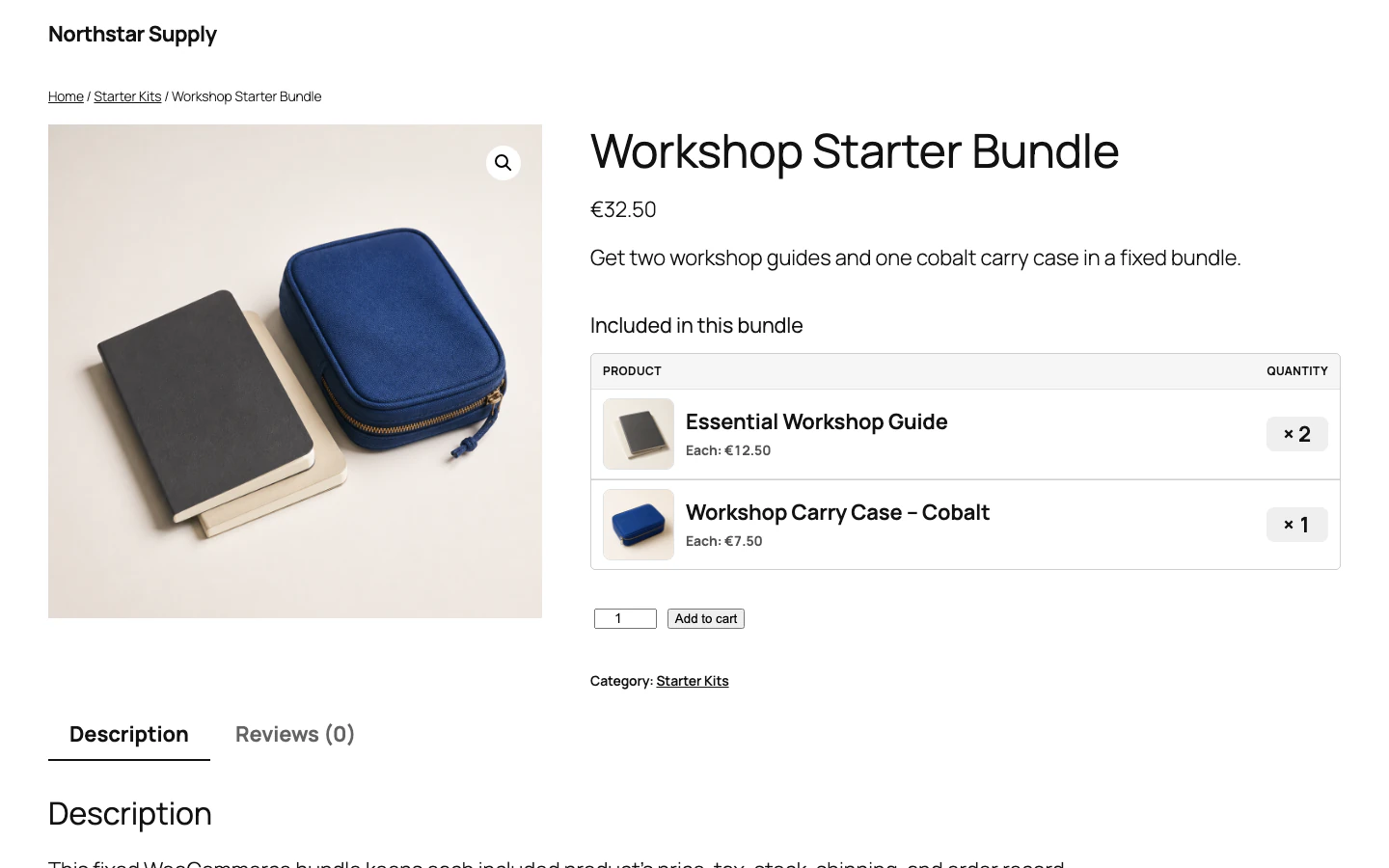
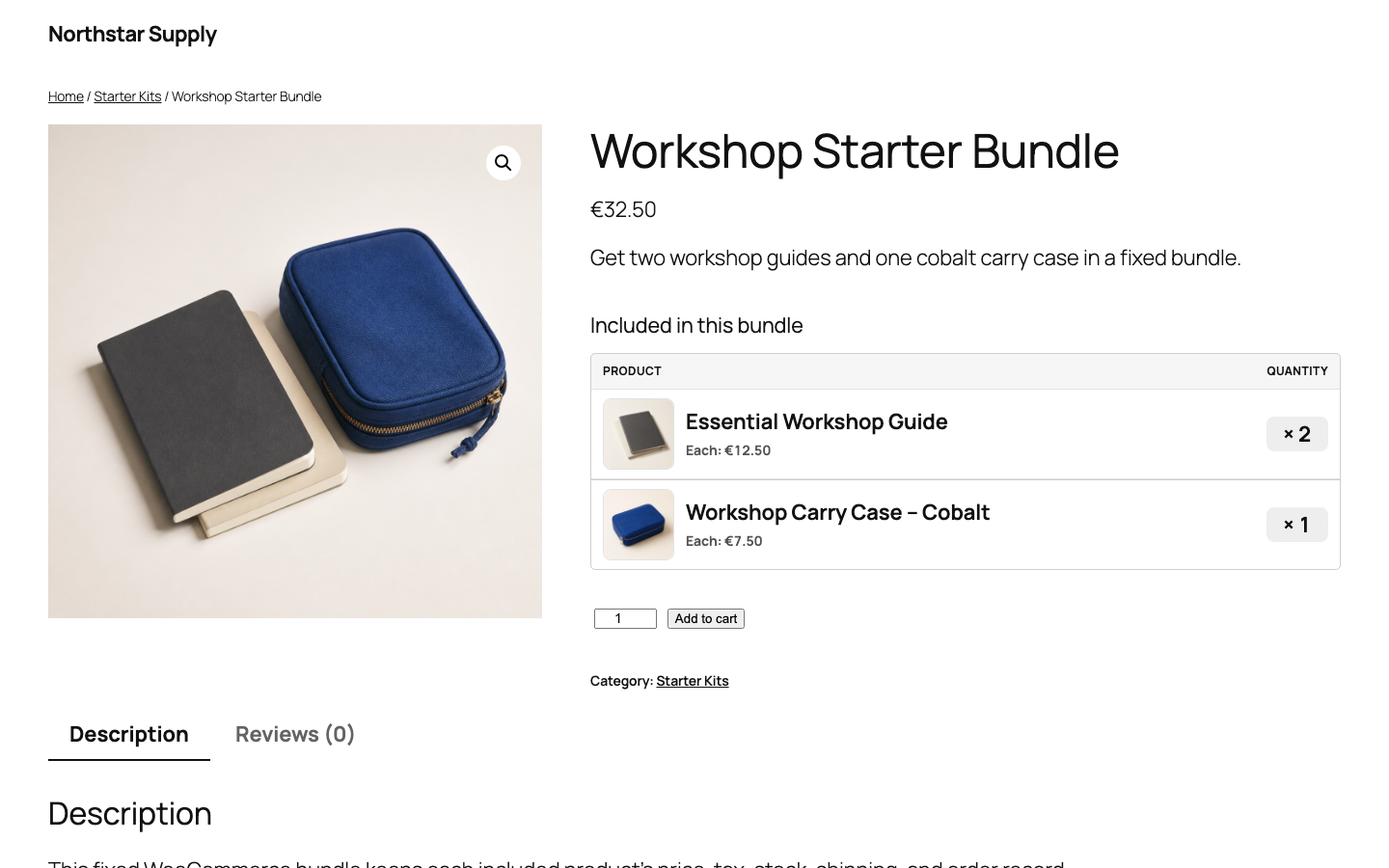
Show one bundle product page.

Customers see the bundle name, total price, and every included item before adding it to the cart.

Synthetic WooCommerce storefront showing the Workshop Starter Bundle and its included items
Storefront Synthetic WooCommerce test store. No customer data. One product page for the full offer. Open full-size Storefront image

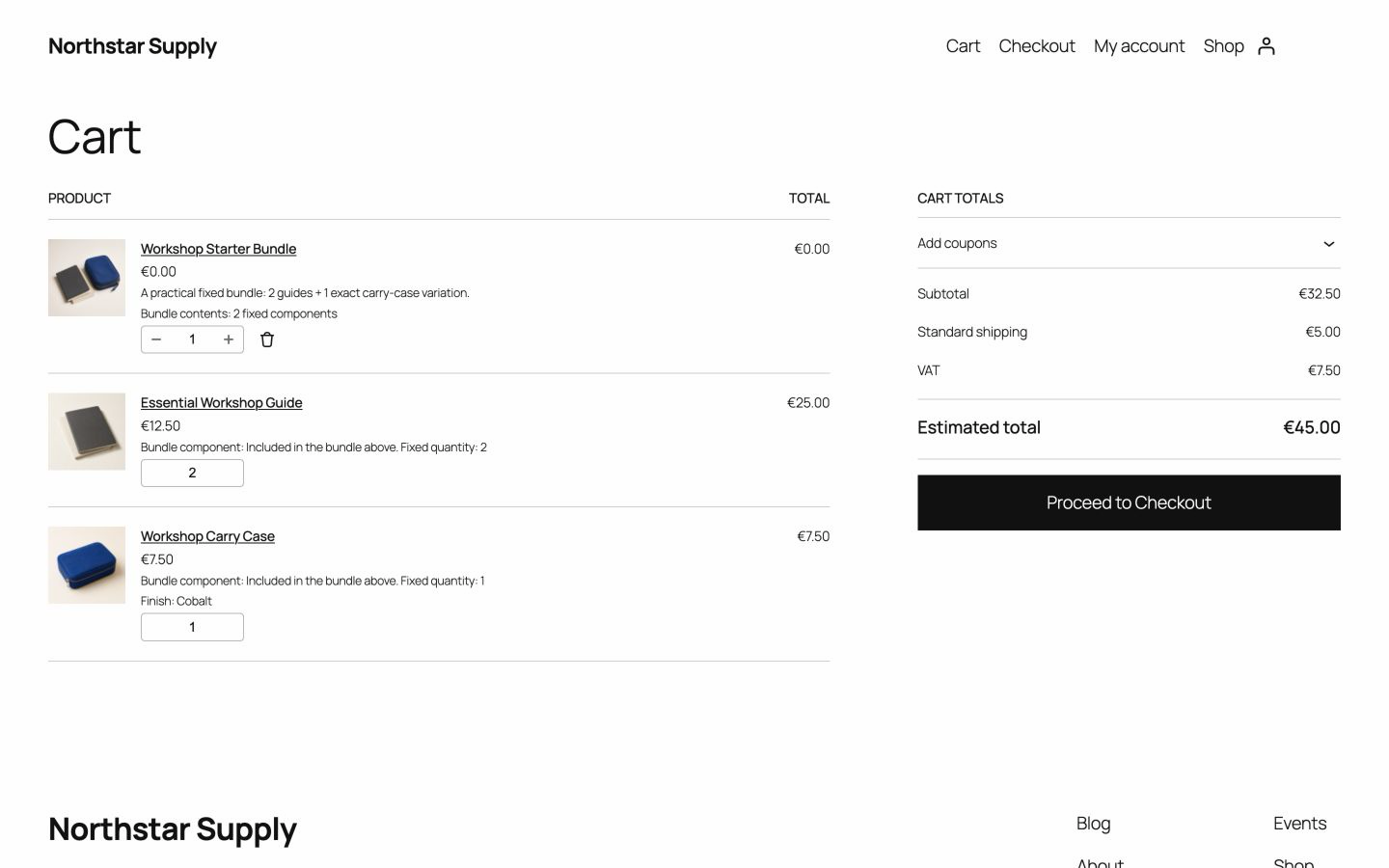
Show bundle items in the cart.

The cart groups the bundle while each included item keeps its price, quantity, and stock data.

Cart Synthetic WooCommerce test store. No customer data. One grouped purchase with separate item totals. Open full-size Cart image

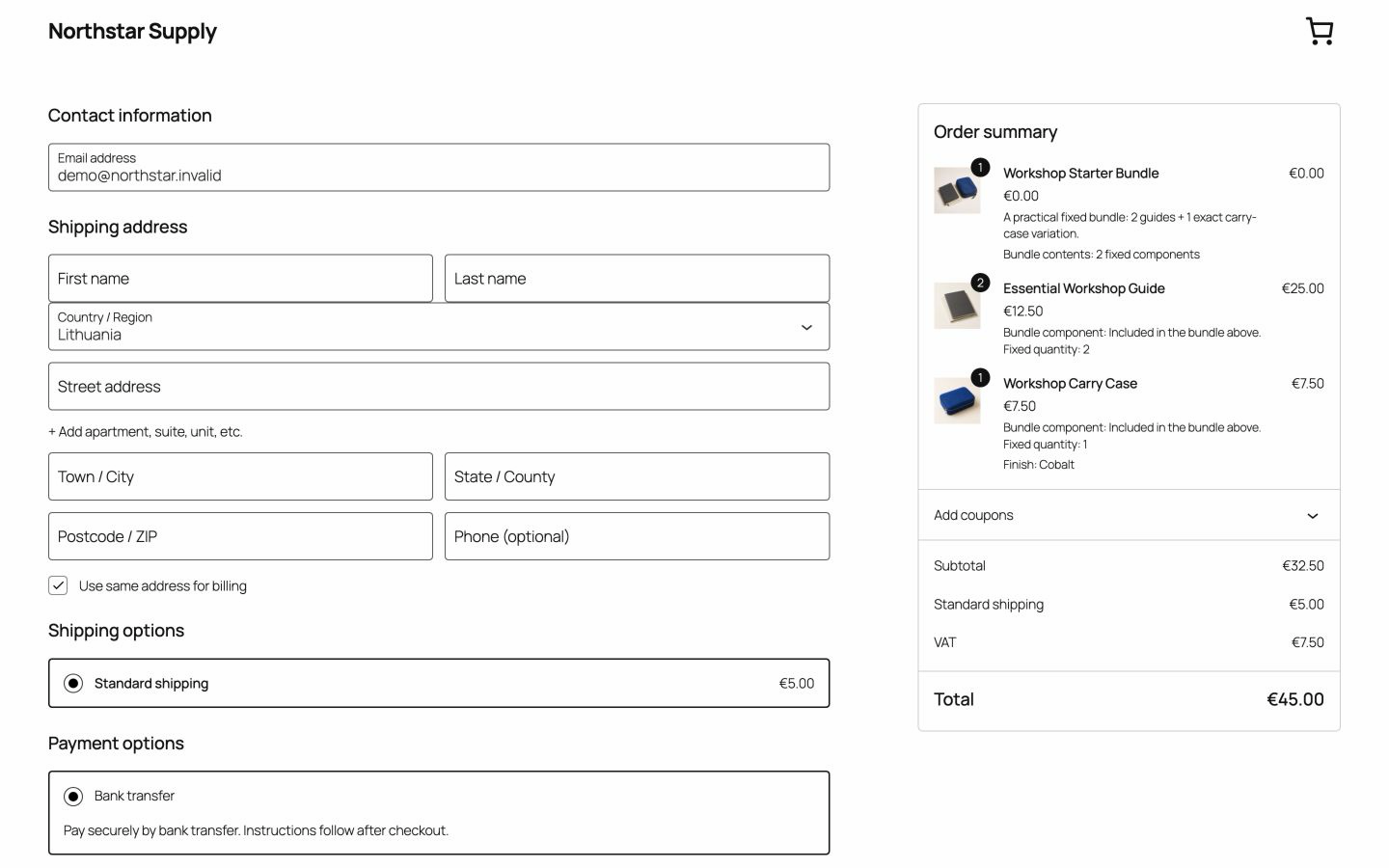
Check stock and totals at checkout.

Checkout checks product quantities again and shows shipping, tax, and the final total.

Checkout Synthetic WooCommerce test store. No customer data. Final quantities, shipping, tax, and total. Open full-size Checkout image
View features and compatibility

Fixed bundles only. Here is how to tell if that fits.

Advanced Bundles Free does one thing: you decide the contents, and every customer gets the same ones. That makes it quick to set up and predictable to run — and it is the wrong tool if your customers need to choose.

Use it when

  • Every bundle contains the same required products.
  • Quantities are set by you, not by the customer.
  • You want the bundle price to follow your current product prices automatically.
  • Each item must keep its own stock, tax, shipping, and order line.
  • You are bundling simple products, or one exact variation you have already chosen.

Use something else when

  • Customers pick which products go in the bundle.
  • Customers pick a variation — size, colour — inside the bundle.
  • Items are optional, or quantities are a range.
  • You need a bundle-specific discount or one separate fixed bundle price.
  • You need conditional rules, subscriptions, or an assembled-product workflow.

Not sure which structure you need? Compare grouped products, variable products, and fixed bundles.

Grouped products leave the kit contents up to the shopper.

WooCommerce grouped products work when shoppers pick individual items and set their own quantities. They do not fit a kit or pack that must always contain the same products, the same variations, and the same quantities.

One fixed bundle. Every item still visible.

Advanced Bundles Free combines simple products or exact variations at fixed quantities. One Add to cart adds the complete bundle, while WooCommerce keeps each item’s price, stock, tax, shipping, order, and refund data intact.

Compare grouped products and fixed bundles

Built for WooCommerce stores

Advanced Bundles Free 0.1.0 is available without an account. Check current compatibility before installing.

Work out the right structure before you install.

Short guides covering how WooCommerce actually handles bundle pricing, stock, variations, and orders — written against the current Free release.

Choose the structure

Set it up

Check before launch

WooCommerce plugin catalogue

Advanced Bundles Free is available now, without an account or an email address.

Advanced Bundles for WooCommerce

Free available

Sell fixed product bundles while each item keeps its own price, stock, tax, shipping, and refund data.

Bundle setup
Fixed products or variations
Bundle price
Total of item prices
Plans
Free plugin and planned Pro add-on
View Advanced Bundles Download Free v0.1.0 (opens in new tab)

Advanced Invoices for WooCommerce — planned. Features, price, and release date are not set.

Common questions

What does the bundle cost the customer?

The total of each included item’s current price, multiplied by its fixed quantity. If you change a product’s price, every bundle containing it updates automatically. Free does not add a separate bundle price or a bundle discount.

How does stock work?

WooCommerce manages stock on each included product or variation. The plugin adds up everything the cart needs — ordinary items and bundle items together — and checks that total before add to cart and again at checkout. The bundle itself does not hold separate inventory.

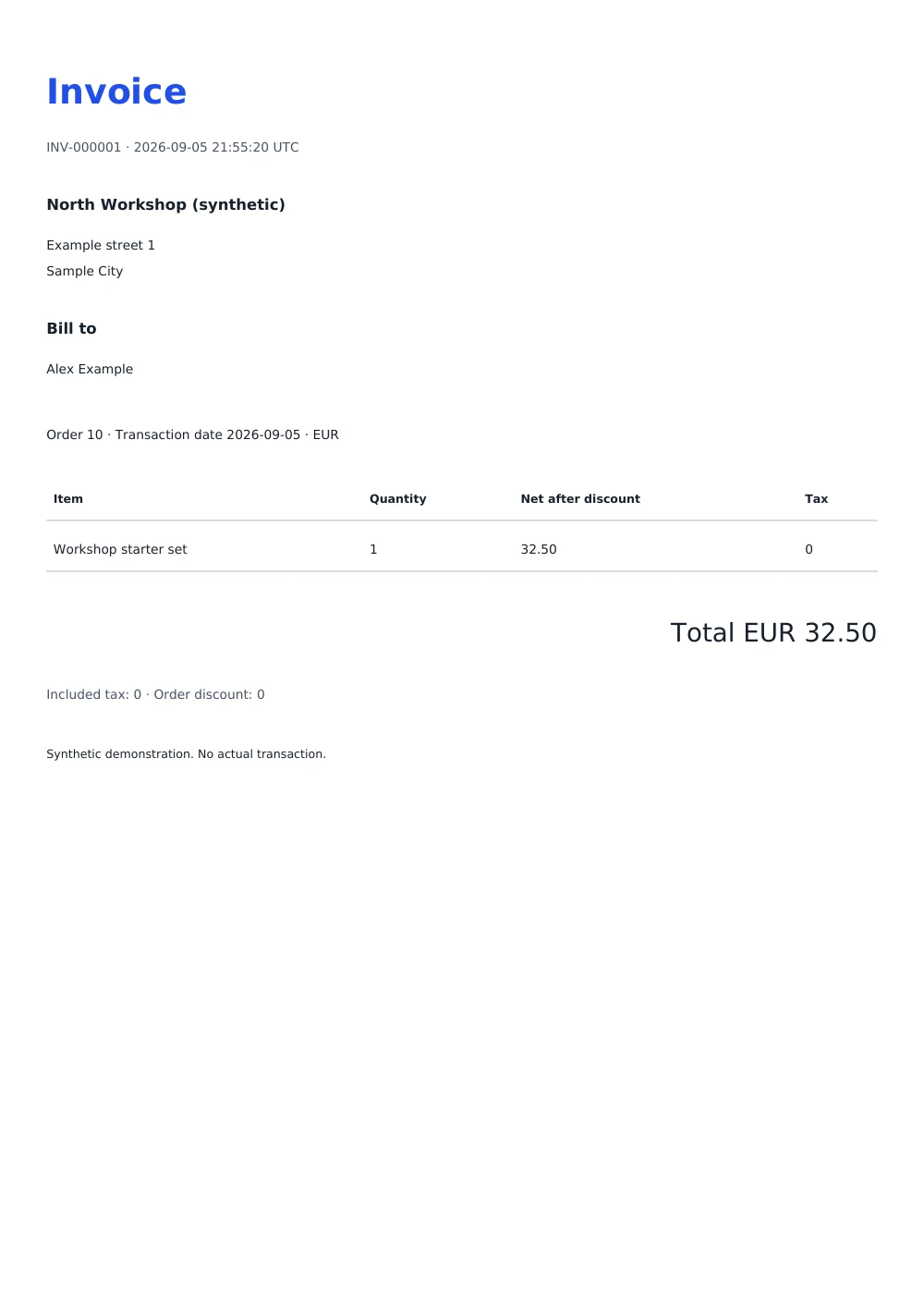
What does the order look like?

The bundle appears as a zero-value parent line. Each included product stays a native WooCommerce order line, so tax, stock, shipping, fulfilment, and refunds work the way they already do in your store.

Can customers choose what goes in the bundle?

No. In Free you choose the products, the exact variations, and the quantities. Customer-selectable contents are planned for Pro, which is not for sale.

Do I need an account or a licence key?

No. Advanced Bundles Free downloads without an account, an email address, or a payment, and it does not require a licence key to run.

Does the plugin phone home?

No. The Free package makes no external requests and contains no telemetry, no premium installer, and no remote executable code. You can verify this in the source.

Is it on WordPress.org?

Not yet. Install it by downloading the ZIP from the GitHub release, then using Plugins → Add New Plugin → Upload Plugin in WordPress.

Download Advanced Bundles Free.

No email address, account, or payment. Read the source, check the published checksum, and test on staging before you install it on a live store.

Download Free v0.1.0 (opens in new tab)